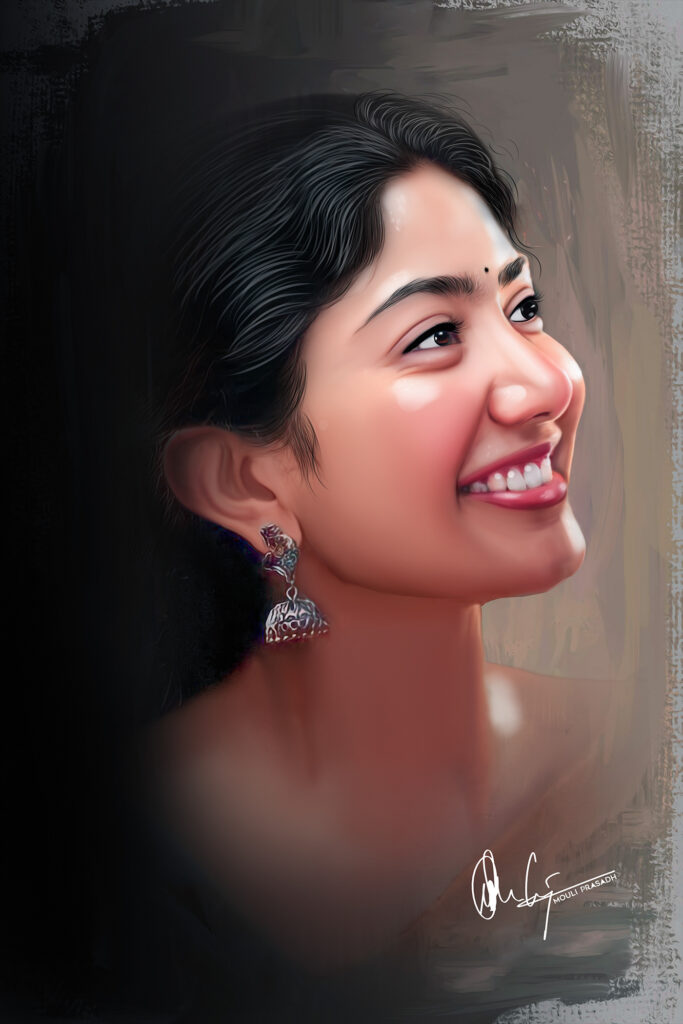
Hair Smudge Brush for Digital Painting in Photoshop!
If you have always wanted to turn your photos into beautiful digital smudge paintings, this Hair Smudge Brush is exactly what you need used in all my YouTube tutorials — now available for free download!
About This Brush
✅Specially designed to draw and smudge
✅ Gives smooth, realistic sharp hairs
✅ Works on Photoshop CC 2018 and above
✅ Used in Photoshop Tutorials in Tamil YouTube channel
✅ Beginner friendly — no experience needed
How to Install the Brushes into Photoshop
- Download the .abr file from the link below
- Open Photoshop
- Go to Brushes->Settings->Import Brushes
- Click Load → select the downloaded file
- Brush is now ready in your brush panel
How to use the Hair Brush for Smudging Hair
- Open your photo in Photoshop
- Duplicate the layer (Ctrl + J)
- Select the Smudge Tool from the toolbar
- Choose this hair smudge brush
- Set Strength: 83-86%
- Start smudging along the hair
- Use a smaller brush size for fine details like eyes brows
- Use a larger brush size for head area
Watch My Full Tutorial on YouTube
Download
Also Check Out
🎨 Want to learn Digital Smudge Painting professionally?
⚠️ Terms of Use
Free for personal use only. Do not resell or redistribute.
